Using Coder with Proxmox for clean development environments
Terraform template for clean Ubuntu Server installs in Proxmox
After doing the fifteenth wipe of my MacBook because it was easier than debugging another runaway node.js process, I started to spin up VMs on a DMZ VLAN in my Proxmox homelab. The process of setting up a new instance with everything needed to do development got to be a bit more annoying, so naturally I fell into the rabbit hole again.
I ended up creating a locally hosted Coder instance with a template that pulls the latest specified Ubuntu release from their cloud image directory, sets it up using cloud-init, allows me to access it from anywhere, all on my Proxmox host.
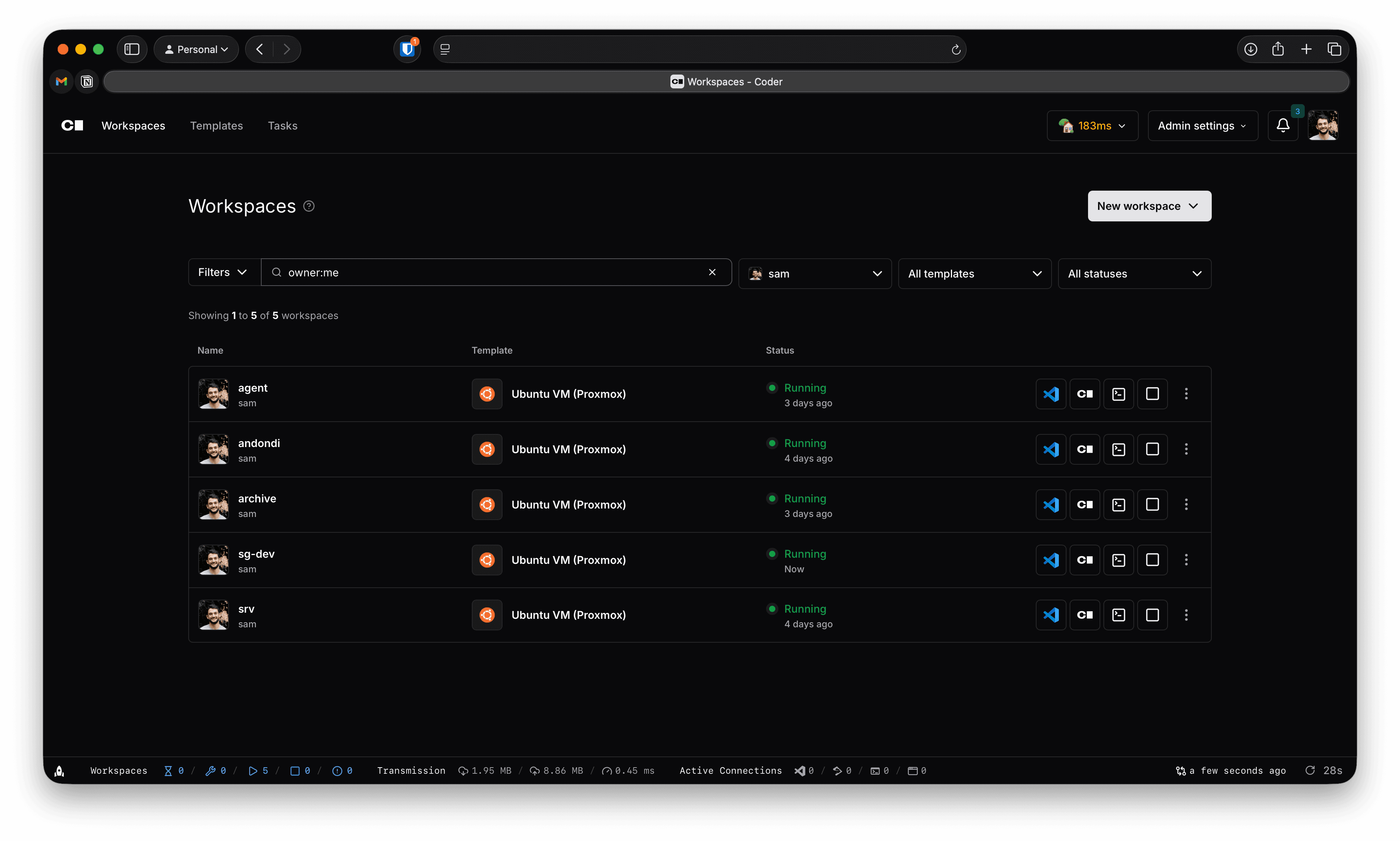
Coder
Coder is a cloud development environment that uses "templates" to create workspaces with ephemeral and persistent resources. I came across this by way of their coder-server project which puts VSCode in the browser.
Coder uses Terraform to create these environments which required me to dive headfirst into the bpg/proxmox provider.
bpg/proxmox because I'm not a huge fan of Telmate's main business line.Terraform template
import createMDX from 'fumadocs-mdx/config';

const withMDX = createMDX();

/** @type {import('next').NextConfig} */
const config = {
  reactStrictMode: true,
};

export default withMDX(config);Cloud-Init
Cloud-Init is a cross-platform cloud-instance initialization standard that makes it easi(er) to define a "golden image". Cloud-init templates can be dynamically generated in terraform.
Security
My networking system is UniFi, but much of this can be adapted based on your own system.
DMZ VLAN
I set up a VLAN that was effectively in a DMZ and firewalled from any local or personal services but could be locally accessed by trusted devices.
If you're not using Proxmox as a Layer 3 virtual switch (most cases), you need to set up a L2 VLAN on the Proxmox Host, and then create a Linux Bridge to that.
Assuming your DMZ VLAN has an ID of 100:
auto lo
iface lo inet loopback

auto nic0
iface nic0 inet manual

auto vmbr0
iface vmbr0 inet static
  	address 192.168.1.2/24
  	gateway 192.168.1.1
	bridge-ports nic0
	bridge-stp off
	bridge-fd 0

auto vlan100
iface vlan100 inet manual
	vlan-raw-device nic0

auto vmbr100
iface vmbr100 inet manual
	bridge-ports vlan100
	bridge-stp off
	bridge-fd 0
Reverse Proxy
I use Pangolin which makes it very easy to expose services like Coder outside of my local network without exposing ports. It combines a UI layer on top of Traefik with Wireguard and supports external identity providers.
Identity
Authentication is managed by Pocket ID, a dead-simple OIDC provider that is passkey-only.
Gotchas
As usual, there's a bunch of random things that I came across while building this out and I wanted to make sure folks could find solutions here!
DHCP issues in Ubuntu Server
This was incredibly annoying because neither Coder or my local machine could resolve to the new instances I spun up without several reboots.
Say I spun up an environment called "srv" –- for some reason, UniFi reported that the hostname associated with the MAC address of the new instance was "ubuntu". And it wouldn't change!
Well, it's because Netplan (the network management package used in ubuntu server) is not using MAC addresses when requesting a lease from a DHCP server.
- When Cloud-Init runs, DHCP requests run before the network stage
- This results in your environment registering the "ubuntu" hostname with ID not associated with your MAC address
- Even when you set a new hostname, UnFi (and Cisco) doesn't update the hostname because it doesn't see a new Client ID / MAC Address combination.
If you want to see this yourself, run tcpdump -n -tttt -i eth0 -vv port 67 in one terminal and run netplan apply in another. You'll notice that the Client ID in the DHCPREQUEST is not a MAC address but what I imagine is a different fingerprint.
What's a bit perplexing to me is that I couldn't really find an answer to this until I looked at the actual DHCP requests and noticed that the MAC Address wasn't being sent out.
Anyways, the fix for this is to write a file to /etc/netplan that has a file name that starts with a number less than 50 because cloud-init creates one called 50-cloud-init.yaml
network:
  version: 2
  ethernets:
    eth0:
      dhcp-identifier: mac
It'll get combined with the cloud-init file based on the eth0 key and things will finally look normal!